Protein–peptide docking simulation
CONFLEX DOCK is a docking simulation program that predicts where a specified peptide chain will bind to a protein and form a complex.
This section explains how to create input files for the simulation, execute the calculation, and display the results. Here, Krev interaction trapped protein 1 (PDB ID: 4hdq) is used as the protein.
Input files
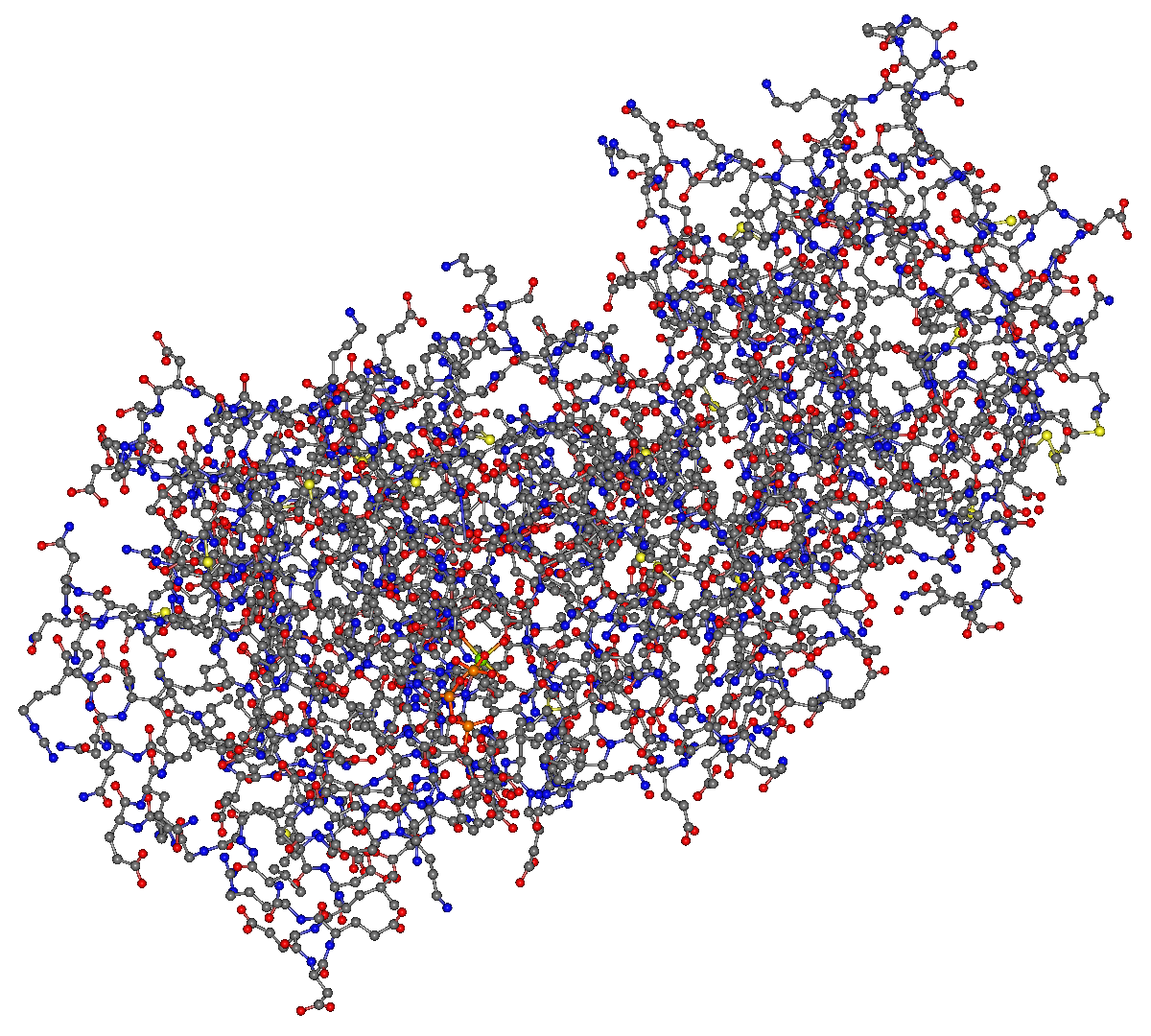
Using 4hdq.pdb downloaded from the Protein Data Bank, prepare the input data required for the calculation.
First, extract the coordinate data for chain A (lines 596 to 3138) and save it as a separate file named “4hdq_a.pdb”.
Contents of 4hdq_a.pdb
ATOM      1  N   TYR A 419      10.722  15.896  36.775  1.00 65.31           N
ATOM      2  CA  TYR A 419      11.521  15.928  35.512  1.00 67.80           C
ATOM      3  C   TYR A 419      11.189  17.152  34.645  1.00 55.21           C
ATOM      4  O   TYR A 419      10.052  17.636  34.579  1.00 56.45           O
ATOM      5  CB  TYR A 419      11.346  14.624  34.690  1.00 75.21           C
...
...
ATOM   2540  CG  LEU A 729      31.167   9.539  -1.671  1.00 47.66           C
ATOM   2541  CD1 LEU A 729      30.013   8.839  -0.939  1.00 44.71           C
ATOM   2542  CD2 LEU A 729      30.768  10.892  -2.272  1.00 51.04           C
TER    2543      LEU A 729
Next, specify the peptide sequence to be docked.
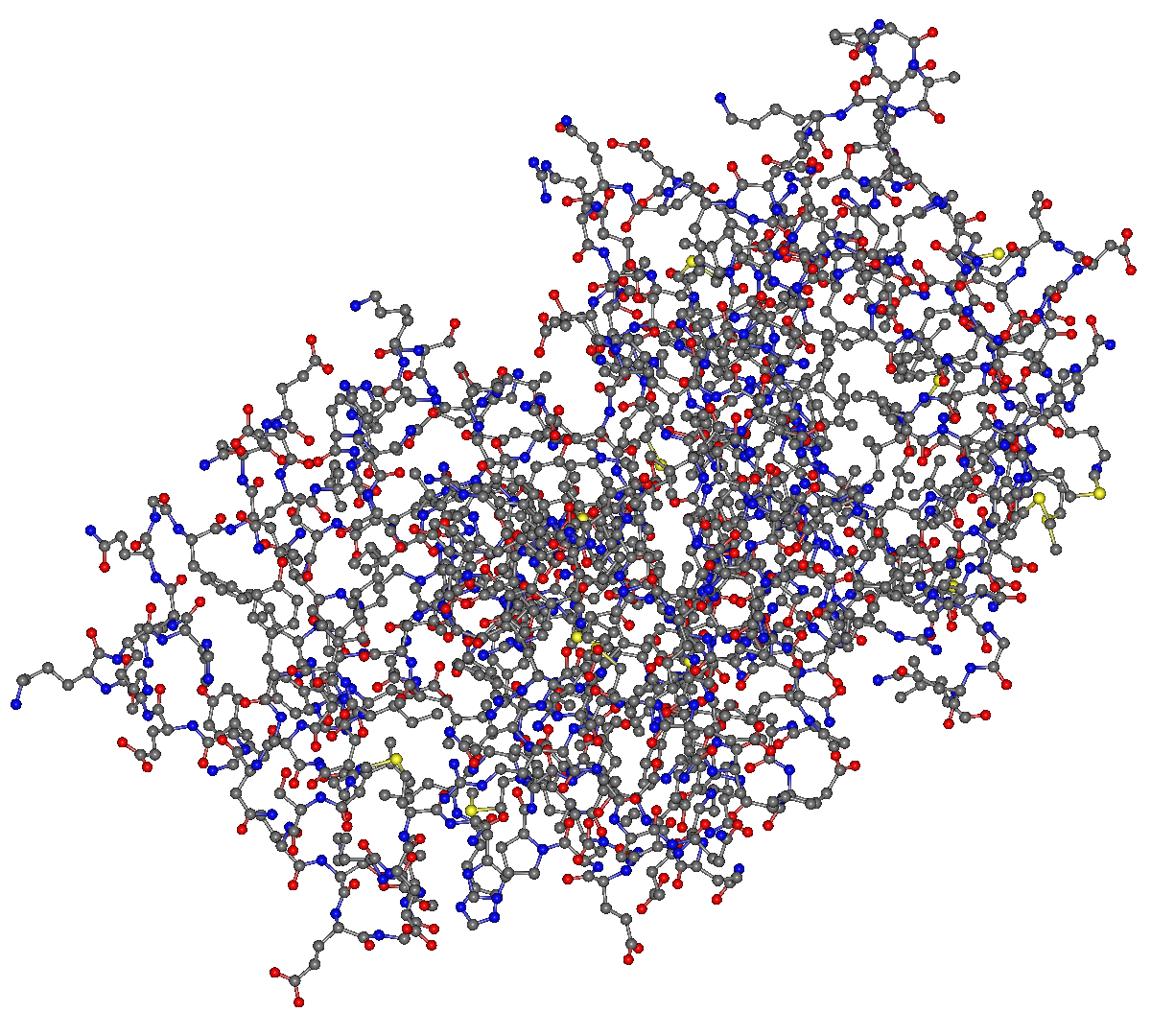
The peptide sequence can be specified either by entering a one-dimensional sequence or by preparing and loading a PDB file.
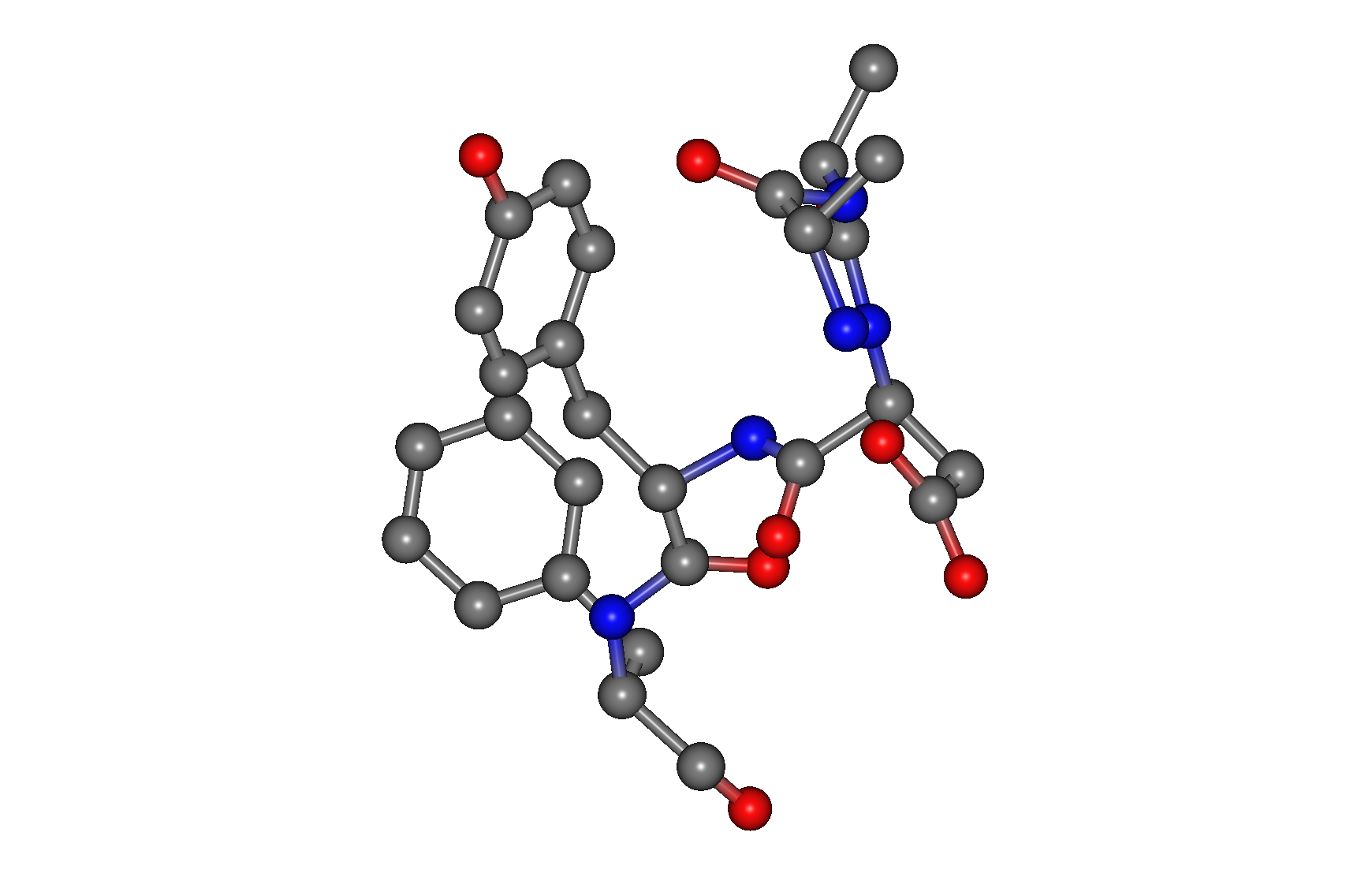
Since 4hdq.pdb contains chain C, a 5-residue peptide (ARG-ARG-ASP-TYR-PHE, lines 4440 to 4481), this data will be used as input.
Save it as a separate file named “4hdq_peptide.pdb” in the same directory as 4hdq_a.pdb.
Contents of 4hdq_peptide.pdb
ATOM   3845  N   ARG C1377      30.216  23.590  21.799  1.00 57.06           N
ATOM   3846  CA  ARG C1377      29.684  24.981  21.860  1.00 54.44           C
ATOM   3847  C   ARG C1377      29.284  25.473  20.457  1.00 59.72           C
ATOM   3848  O   ARG C1377      28.148  25.942  20.266  1.00 56.63           O
ATOM   3849  CB  ARG C1377      30.678  25.967  22.520  1.00 53.04           C
...
...
ATOM   3883  CE1 PHE C1381      25.487  22.366  10.239  1.00 29.96           C
ATOM   3884  CE2 PHE C1381      24.065  20.653   9.391  1.00 26.70           C
ATOM   3885  CZ  PHE C1381      24.252  21.944   9.721  1.00 28.89           C
TER    3886      PHE C1381
Docking calculation
Execution from Interface
Open “4hdq_a.pdb” in the CONFLEX Interface, select “Docking” from the Calculation menu, and set the calculation conditions.
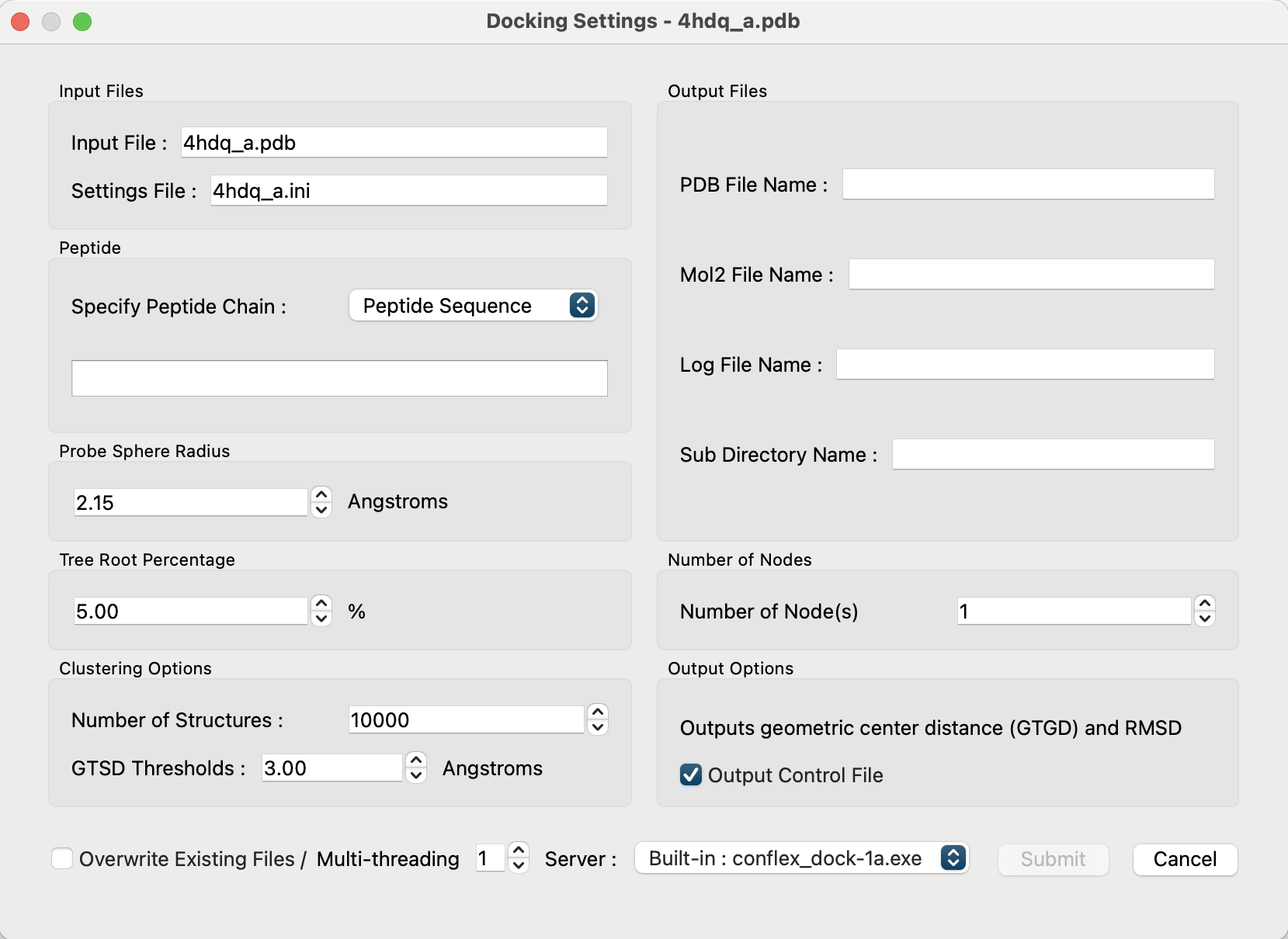
First, set “Specify Peptide Chain:” in the “Peptide” section to [Open File].
Then, the button will appear below it.
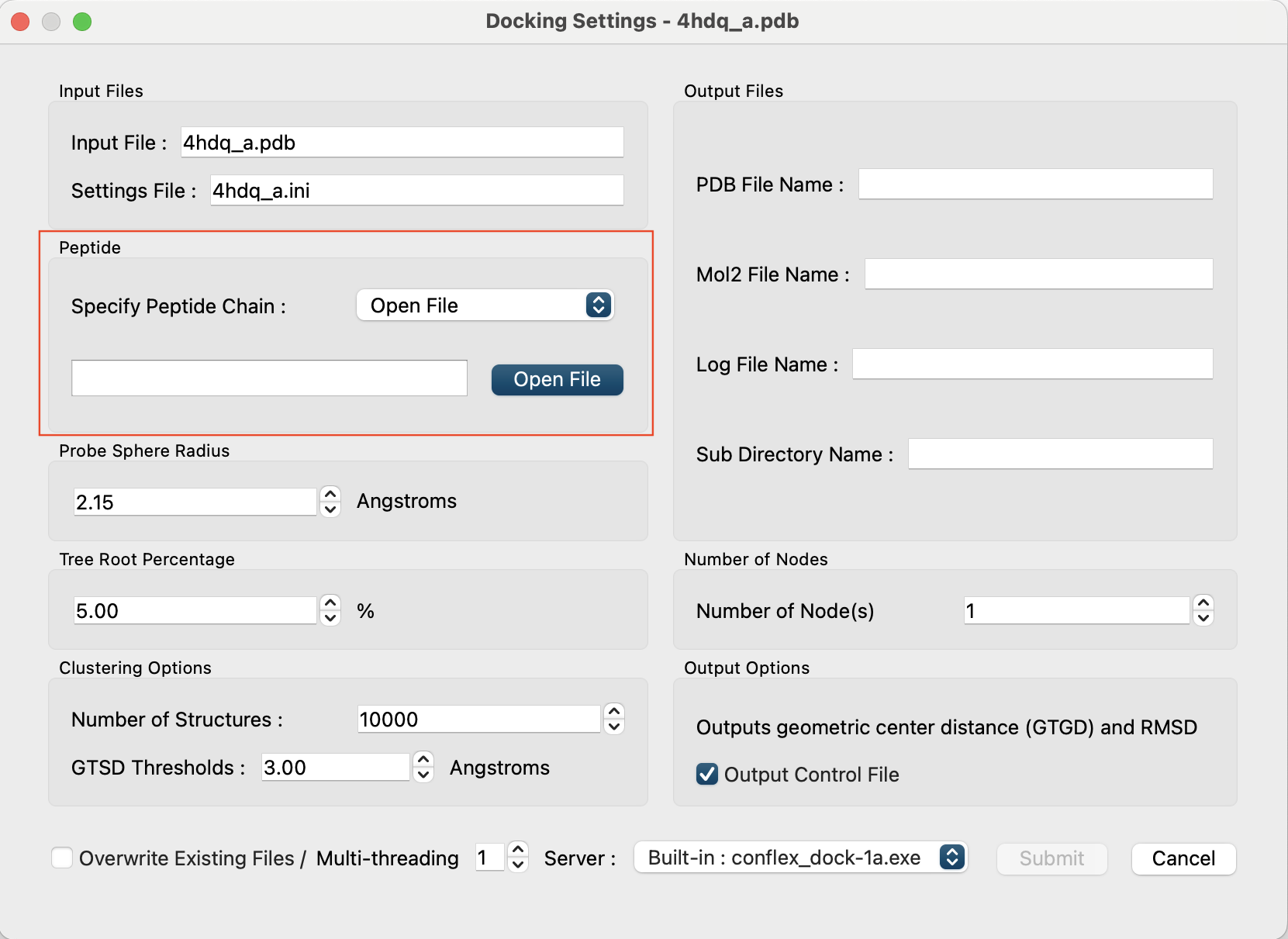
Click and select the “4hdq_peptide.pdb” file you created.
After loading the file, the file name and the sequence of residues will be displayed, and in the “Output Files” section, the output file name and directory name will be automatically set as a combination of the input PDB file name and the peptide's amino acid sequence (for example, “4hdq_a_ARG-ARG-ASP-TYR-PHE”).
Each of these names can be changed individually. If you wish to change them, please edit the boxes directly.
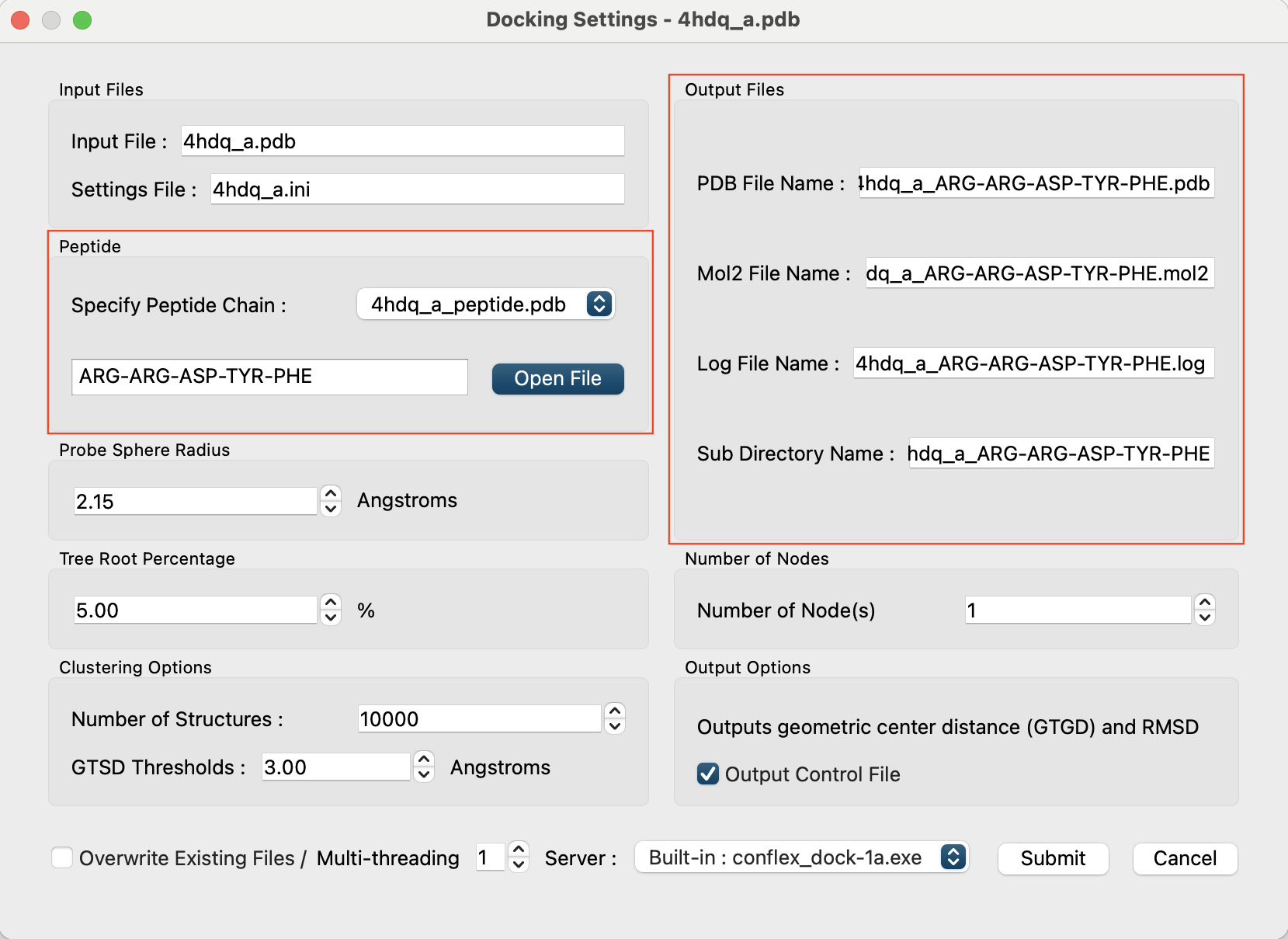
Click the button at the bottom right of the dialog to start the calculation.
The Job Manager will then launch, displaying “docking” in the “Program” column, the peptide's amino acid sequence in the “Job Type” column, and the protein PDB file name in the “Molecule” column.

After the “Status” column changes from “running” to “Finished”, double-click the job row to open one of the output files, “4hdq_a_ARG-ARG-ASP-TYR-PHE.pdb”.
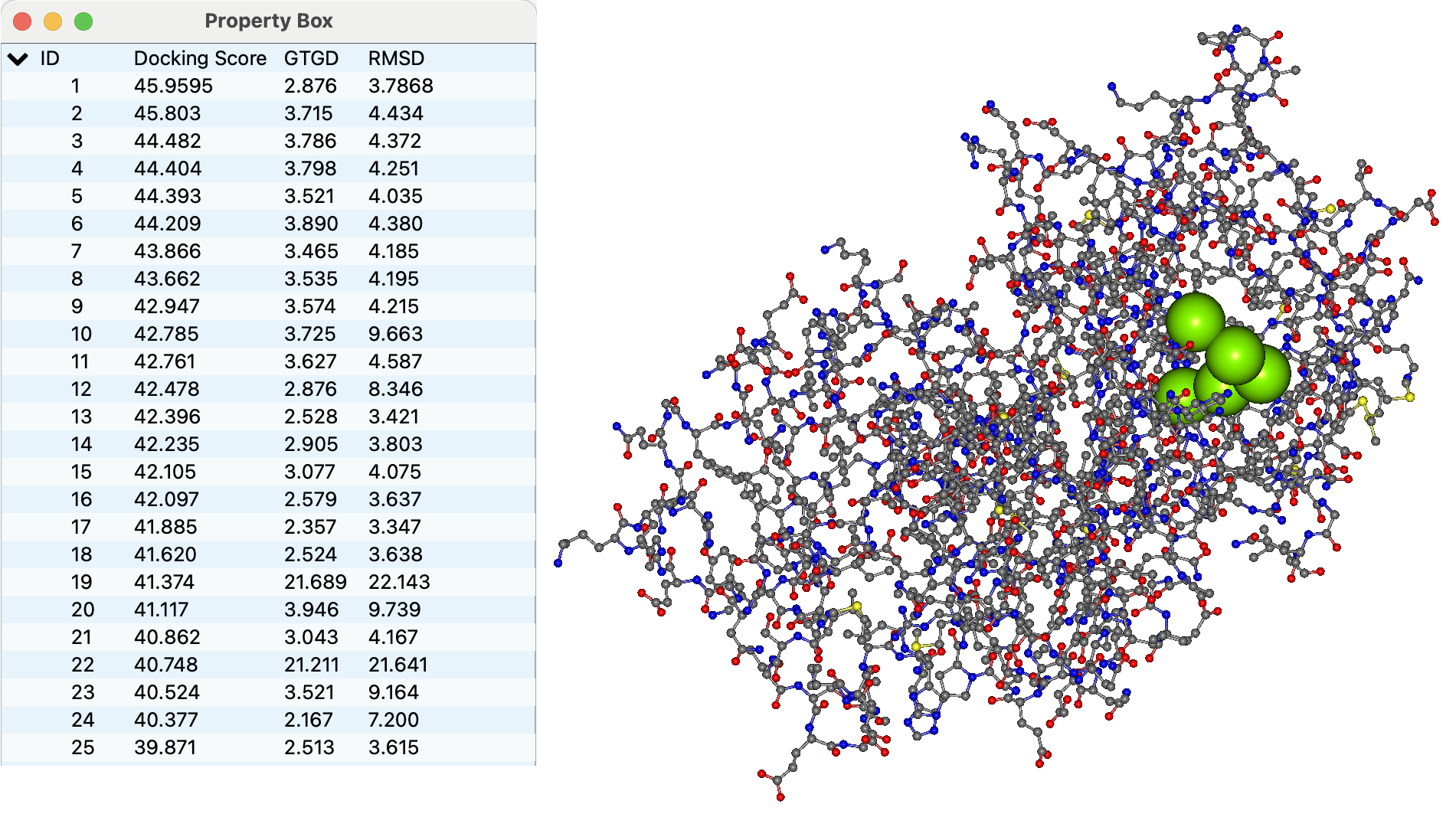
The representative points of the peptide's amino acid residues in each docking pose are shown as connected green spheres.
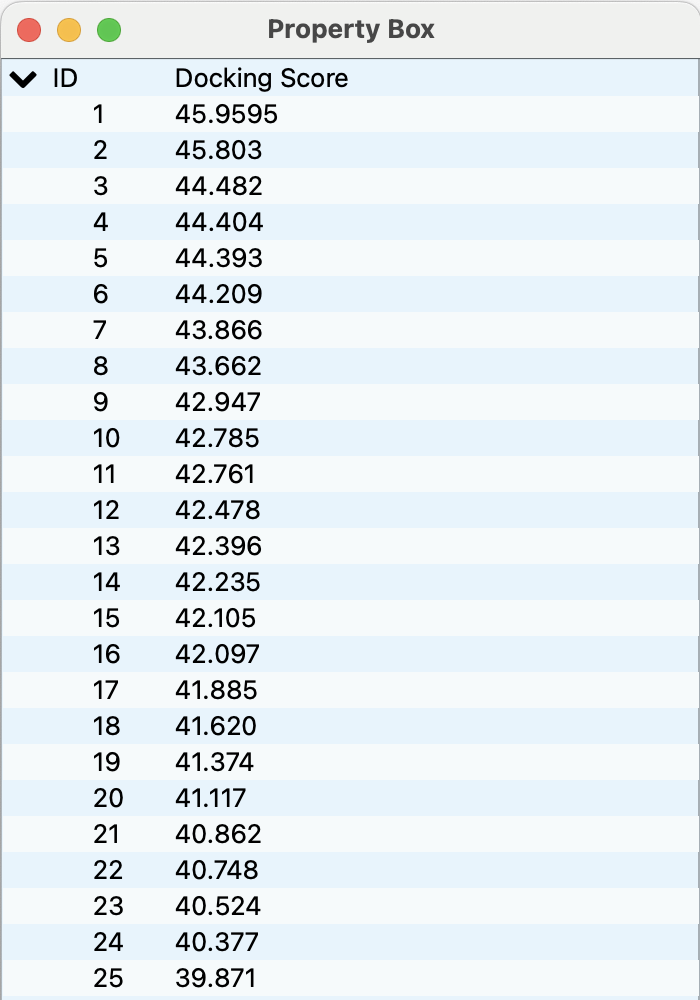
In the Property Box, the Docking Score, the Geometric center To Geometric center Distance (GTGD, Å), and the Root Mean Squared Deviation (RMSD, Å) for each pose are displayed.
Clicking each ID row in the Property Box switches the displayed docking pose.
Output files
When the calculation is complete, a “4hdq_a.ini” file reflecting the settings and the following three output files:
- 4hdq_a_ARG-ARG-ASP-TYR-PHE.log
- 4hdq_a_ARG-ARG-ASP-TYR-PHE.mol2
- 4hdq_a_ARG-ARG-ASP-TYR-PHE.pdb
Additionally, a directory named “4hdq_a_ARG-ARG-ASP-TYR-PHE” is created and the files are saved there.
The “4hdq_a.ini” file is saved with the following contents.
probe_rad=2.15
root=0.05
branch=1
cluster=10000
cluster_dist=3
“4hdq_a_ARG-ARG-ASP-TYR-PHE.log” contains the progress of the calculation, score values and distributions for each docking pose, clustering results, and more.
 ==================================================================================================================================

     _/_/_/_/ _/_/_/_/ _/    _/ _/_/_/_/ _/       _/_/_/_/ _/_/ _/_/    _/_/_/    _/_/_/_/ _/_/_/_/ _/ _/_/
    _/       _/    _/ _/_/  _/ _/       _/       _/         _/  _/     _/    _/  _/    _/ _/       _/  _/
   _/       _/    _/ _/ _/ _/ _/_/_/_/ _/       _/_/_/_/     _/       _/     _/ _/    _/ _/       _/_/
  _/       _/    _/ _/  _/_/ _/       _/       _/         _/  _/     _/     _/ _/    _/ _/       _/  _/
 _/_/_/_/ _/_/_/_/ _/    _/ _/       _/_/_/_/ _/_/_/_/ _/_/  _/_/   _/_/_/_/  _/_/_/_/ _/_/_/_/ _/   _/_/


 Start --- CONFLEX DOCK ver.1.A.0303 (Updated March, 3rd, 2025)
 Date: 2025/04/15
 Time: 00:23:29

 ==================================================================================================================================

      <<  Licensee information >>

          Licensee name: CONFLEX DOCK User
  Licensing institution: CONFLEX Corporation
                Address: Shinagawa Center Bldg. 6F, 3-23-17 Takanawa
                   City: Minato-ku, Tokyo
               ZIP code: 108-0074
                 Nation: Japan
       Telephone number: +81-3-6380-8290
         E-mail address: info@conflex.co.jp

    Matched MAC address: 11:22:33:44:55:66

   DATE OF THE LICENSE START: 2025/04/14
  DATE OF THE LICENSE EXPIRE: 2026/12/31

 ==================================================================================================================================

 Maximum number of threads: 8
 Current number of threads: 1
 Directory containing Potential and License files: /Applications/CONFLEX/par
 Representative point of residue: C_alpha atom

 ==================================================================================================================================

 *** Delaunary tessellation of protein and setting of search points
 Probe radius (Angstrom): 2.150
 Protein file name: 4hdq_a.pdb
 Number of amino acid residues in the protein: 311
 Peptide file name: 4hdq_a_peptide.pdb
 Number of amino acid residues in the peptide: 5
 Score of peptide on the nearest search points: 30.867
 GTGD of peptide on the nearest search points from input structure (Angstrom): 0.653
 RMSD of peptide on the nearest search points from input structure (Angstrom): 1.562

 CPU  time (s): 0.734
 Wall time (s): 0.734

 ==================================================================================================================================
“4hdq_a_ARG-ARG-ASP-TYR-PHE.mol2” contains each docking pose, with the amino acid residues of the protein also represented as representative points.
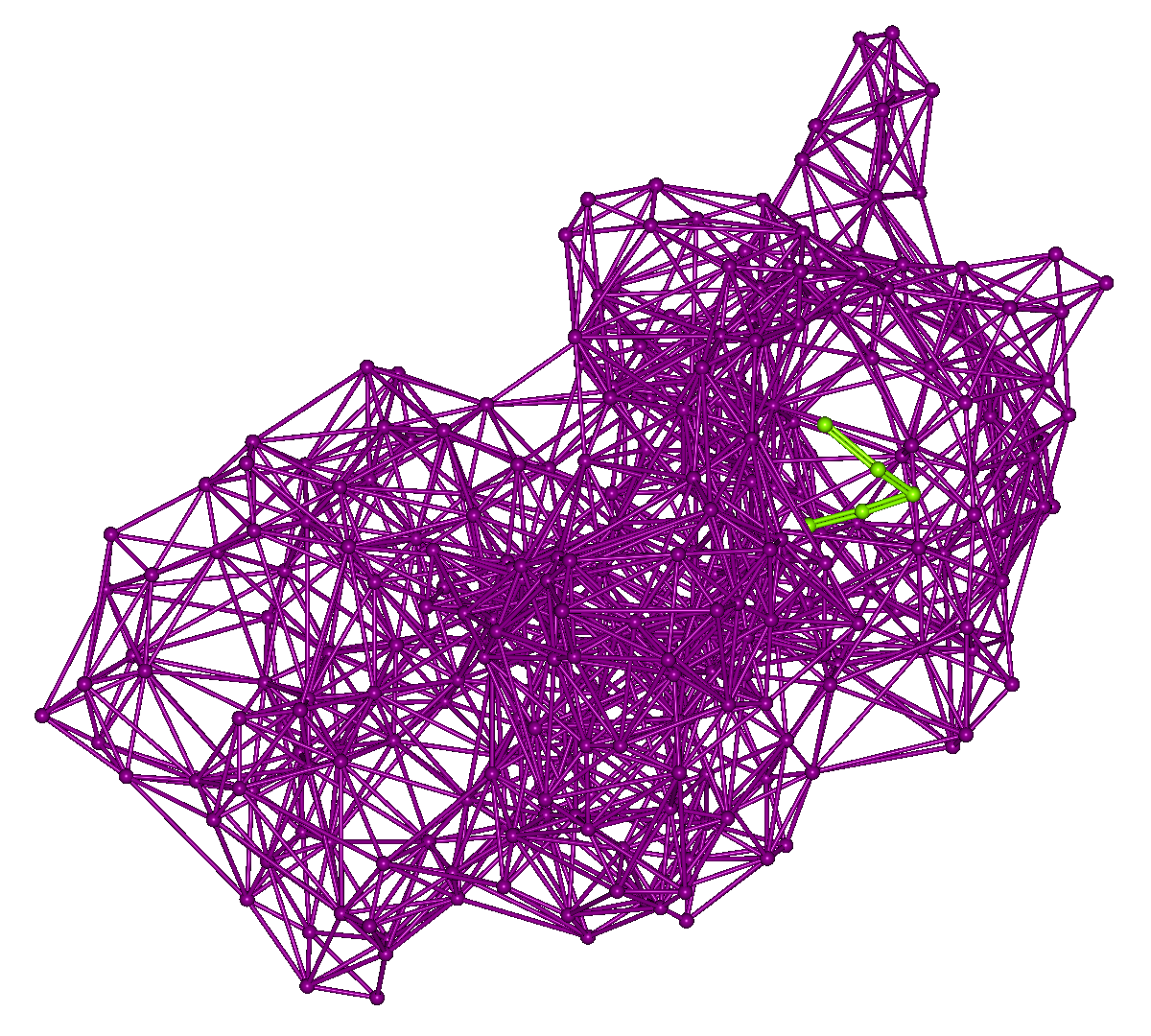
The following ten files are output in the “4hdq_a_ARG-ARG-ASP-TYR-PHE” directory.
4hdq_a_4hdq_a_peptide_ClustPep_N1_DIST3.csv	  4hdq_a_4hdq_a_peptide_FRank_N1_0.csv
4hdq_a_4hdq_a_peptide_ClustSite_N1_DIST3.csv	  4hdq_a_4hdq_a_peptide_GRank_N1_0.csv
4hdq_a_4hdq_a_peptide_Clust_N1_DIST3.mol2	          4hdq_a_4hdq_a_peptide_N1_ALL.csv
4hdq_a_4hdq_a_peptide_Clust_N1_DIST3.pdb	          4hdq_a_4hdq_a_peptide_RRank_N1_0.csv
4hdq_a_4hdq_a_peptide_Distribution_N1.csv    	  searchpoint.mol2
Among these, the contents of the .csv files are as follows.
| File name | Description |
|---|---|
| 4hdq_a_4hdq_a_peptide_ClustPep_N1_DIST3.csv | Clustering number (CNo), Score rank (FRank), Score (FSum), Calculation order (RNo), Line number (LNo), GTGD、RMSD |
| 4hdq_a_4hdq_a_peptide_ClustSite_N1_DIST3.csv | Clustering number (CNo), Number of poses in each cluster (Nc), Score average (weighted FAve(weighted), Unweighted FAve(noweighted)), Score variance (unweighted average FVar), Maximum score (FMax), Minimum score (FMin) |
| 4hdq_a_4hdq_a_peptide_Distribution_N1.csv | Score distribution |
| 4hdq_a_4hdq_a_peptide_FRank_N1.csv | Score rank (FRank), Score (FSum), GTGD rank (GRank), GTGD, RMSD rank (RRank), RMSD, Calculation order (RNo), Line number (LNo) |
| 4hdq_a_4hdq_a_peptide_GRank_N1.csv | GTGD rank (GRank), GTGD, RMSD rank (RRank), RMSD, Score rank (FRank), Score (FSum), Calculation order (RNo), Line number (LNo) |
| 4hdq_a_4hdq_a_peptide_N1_ALL.csv | Calculation order (RNo), Line number (LNo), Position points of each residue, Score (FSum) |
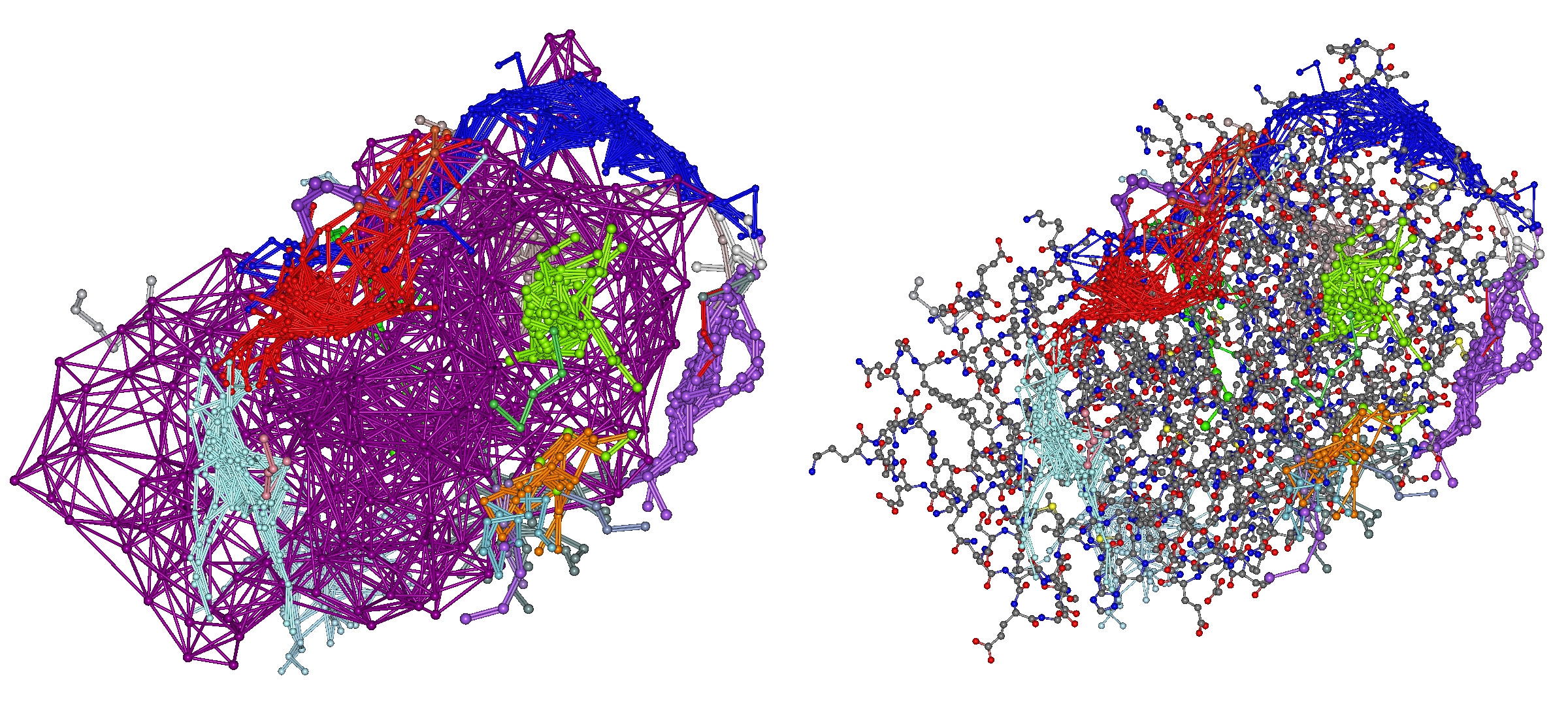
All docking poses are output in clustered form in “4hdq_a_4hdq_a_peptide.mol2” (left) and “4hdq_a_4hdq_a_peptide.pdb” (right), and are displayed as shown below.
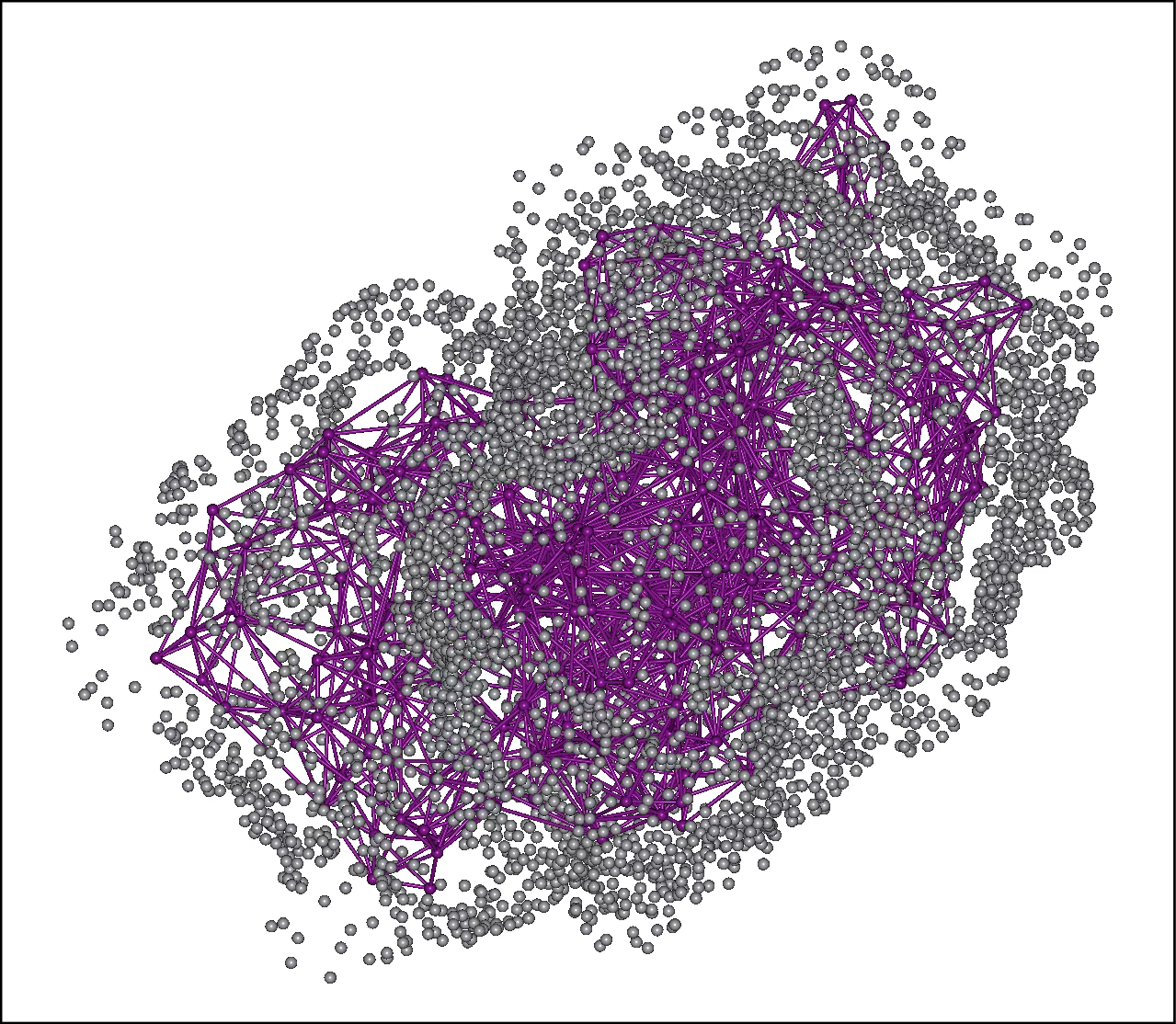
In “search.mol2,” the representative points of the protein's amino acid residues and the search points for the peptide placed on its surface are output.
Specifying a peptide sequence
It is also possible to directly enter the amino acid sequence of the peptide to be searched in the “Peptide” field of the Docking Settings screen and perform the calculation.
If the sequence is the same, the docking score results will not differ from those obtained by specifying a PDB file.
The sequence can be specified using either the one-letter code (left) or the three-letter code (right). However, when entering the three-letter code, please insert a hyphen (“-”) between each residue.
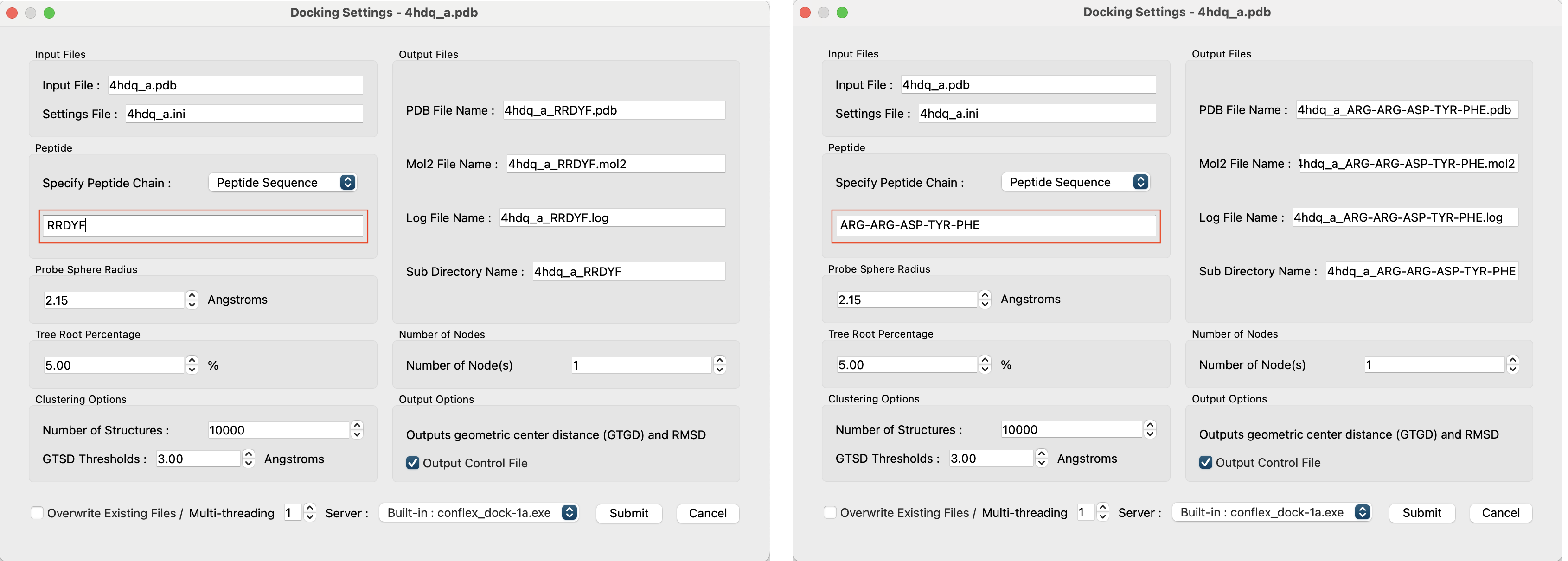
However, since there is no reference structural data, GTGD and RMSD will not be output as shown below.